Supabase CMS
Learn how BaseBuddy works as an open-source Supabase CMS for existing tables, saved mappings, media, SEO, and permissions.
A CMS for the Supabase database you already have
BaseBuddy is a Supabase CMS for teams that already store content in Supabase and want an editor without rebuilding their schema around a new tool.
You connect BaseBuddy to your Supabase project, create a BaseBuddy project, map your existing tables, and edit through the generated editor. The saved mapping tells BaseBuddy where each value lives and how it can be safely updated.
What makes it different from a traditional CMS
A traditional CMS usually asks you to create content types inside the CMS first. Your app then reads from that CMS-owned structure.
BaseBuddy starts from the other direction:
Your tables stay in Supabase. BaseBuddy stores its own setup data separately: projects, members, roles, invitations, mappings, and editing sessions. It does not rename your content tables, reshape columns, or move content into a BaseBuddy schema.
What you can map
Most Supabase databases start with posts or pages, then add related content areas over time.
| Content area | Common Supabase source |
|---|---|
| Posts or pages | A table where one row is one content item |
| Body content | Markdown, HTML, text, JSON path, or another mapped storage shape |
| Authors | A related authors, profiles, or users table |
| Categories and tags | Foreign keys, join tables, arrays, JSON paths, or value-match relations |
| Media and files | Supabase Storage buckets or mapped catalog tables |
| SEO fields | Title, description, focus keyword, slug, redirects, and preview fields |
| Workflow state | Draft, published, archived, and published-at fields |
BaseBuddy uses the storage shape first. Semantic labels such as title, content, status, or featured image help the editor understand intent, but they do not override the storage contract.
The editor experience
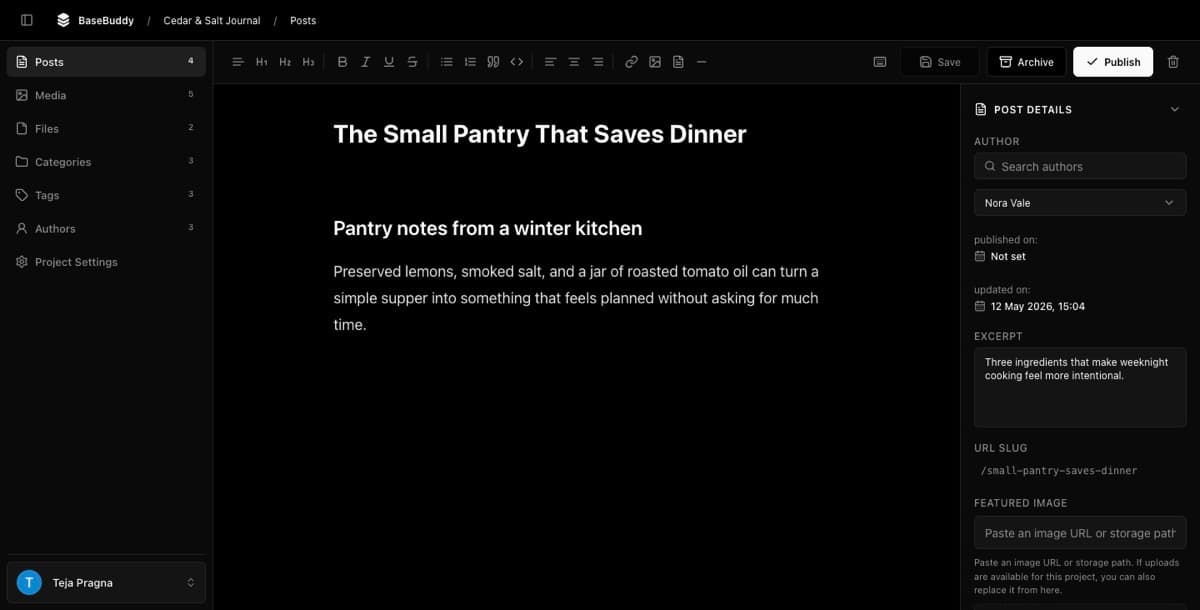
BaseBuddy gives editors a familiar CMS surface on top of your Supabase data:
- a clean post editor;
- Markdown and HTML-friendly rich text editing;
- slash commands and keyboard shortcuts;
- media and file libraries;
- sidebar fields for author, slug, SEO, categories, tags, and custom mapped fields;
- explicit
Publish,Unpublish, andArchiveactions; - role-based and user-specific permissions.
That is the practical goal: a WordPress-like editor for Supabase content, without forcing your app to adopt a WordPress-style database.
What stays safe
BaseBuddy is careful around production data.
- Opening a post does not mutate the row.
- Clicking
Savewith no changes does not rewrite content. - Normal
Savewrites dirty mapped fields only. Publish,Unpublish, andArchiveare explicit actions.- Unsupported or unsafe mappings stay read-only or unsupported.
- Install credentials come from environment variables, not project rows.
Use Safe editing model for the deeper write-safety rules.
Where to go next
Start with Installation, then follow First-run setup. When you are ready to connect real content, use Projects and mappings and Mapping fields and relations.
For task-by-task help, use How to connect your Supabase database to BaseBuddy and How to map a posts table.