Media and files
Configure media libraries, file libraries, Supabase Storage, S3-compatible storage, limits, and private URLs.
How storage works
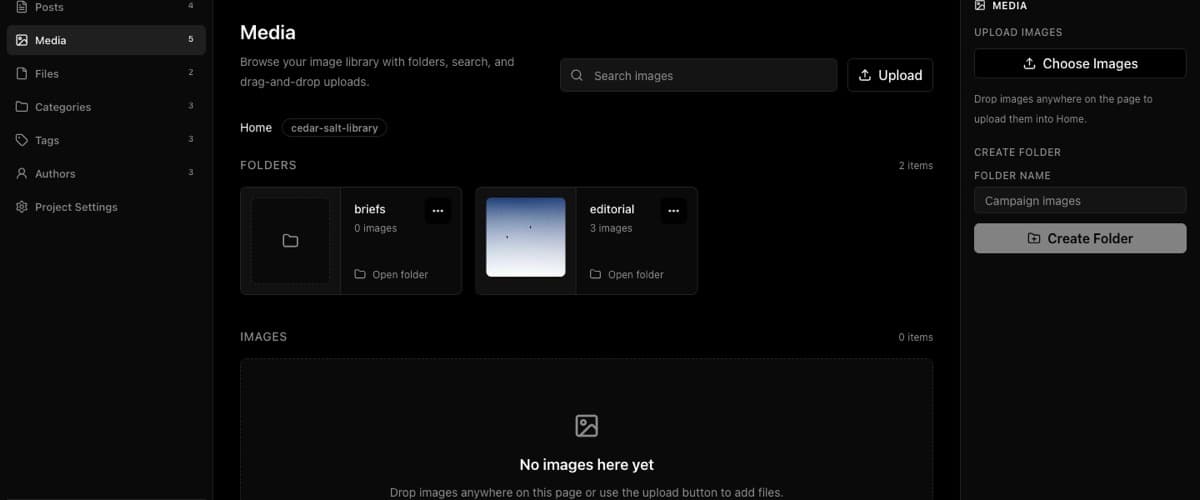
Media and files are optional project capabilities. A project can have no media storage, a Supabase Storage bucket, an S3-compatible bucket, and optional mapped catalog table metadata for object records.
Credentials stay in environment variables. The project mapping stores bucket, path, provider metadata, catalog table mapping, and display behavior.
Use How to configure Supabase Storage buckets for media and files for Supabase buckets, or How to configure S3-compatible storage for media and files when the provider is S3, R2, MinIO, or similar.
Request flow
The browser never receives storage secrets. BaseBuddy APIs check permissions, validate size and type, use the saved mapping, and prepare signed upload paths. The browser then uploads bytes to the configured provider through a Supabase signed upload URL or S3-compatible presigned URL, and BaseBuddy completes the mapped metadata update.
Security covers why storage secrets stay server-side and how to handle signed URLs.
Storage modes
| Mode | When to use | Behavior |
|---|---|---|
| No storage mapping | The project doesn't manage uploads | Hide or disable media/file tools |
| Supabase Storage | Assets live in Supabase buckets | Browse folders, upload objects, resolve URLs |
| S3-compatible storage | Assets live in S3, R2, MinIO, or similar | Browse and upload through env-backed credentials |
| Catalog table metadata | Metadata lives in Postgres beside bucket-backed storage | Store title, alt text, caption, path, MIME type, dimensions, or ownership |
Upload limits
| Area | Limit |
|---|---|
| Avatar image | 5 MB |
| Media image | 10 MB per image |
| File library file | 25 MB per file |
| Media batch | 10 images |
| File batch | 10 files |
| Media multipart API body | 60 MB when that API path is used |
| File multipart API body | 130 MB when that API path is used |
| Profile update JSON | 16 KB |
Primary media and file uploads use signed direct-upload URLs, so your provider and browser path must allow the file size. Your reverse proxy or hosting provider still needs compatible request sizes for BaseBuddy prepare, complete, metadata, and multipart API requests.
Caps and rate limits keeps the full limits table, and Deployment covers matching those limits at the proxy or host layer.
Accepted types
Media accepts avif, gif, jpeg, jpg, png, and webp.
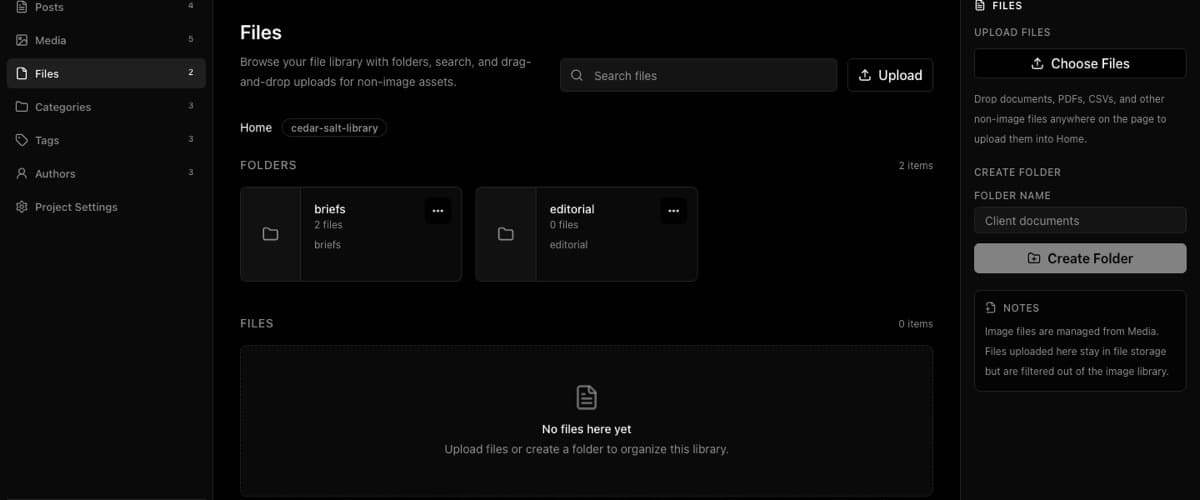
Files accept common documents, spreadsheets, presentations, data files, and archives: doc, docx, pdf, rtf, txt, md, csv, xls, xlsx, ppt, pptx, json, xml, zip, gz, and tar.
SVG is blocked in the media library because SVG can contain script-like behavior and external references.
Use How to upload and manage images in the Media library and How to upload and manage files in the Files library for the library flows. If uploads fail, How to fix media or file upload failures checks type, size, mapping, credentials, and host limits.
Private files
Private assets should use signed URLs or your own protected delivery route. Don't expose permanent public URLs for private documents.
When using signed URLs, treat them as temporary and avoid sharing screenshots that reveal private object paths or signed query strings.
For editor insertion, use How to insert images into a post and How to insert files or downloads into a post.